Permissions
Four modes, from only proposing to working on its own.
Every tool call goes through one check before it runs, built-in tools and extension tools alike.
| Mode | Reads | Edits | Deletes | Commands |
|---|---|---|---|---|
| Plan only | Yes | No | No | No |
| Ask first | Yes | Asks | Asks | Asks |
| Accept edits | Yes | Yes | Asks | Asks |
| YOLO | Yes | Yes | Yes | Yes |
Accept edits is the default. Every edit shows as a diff and can be undone. Use YOLO for projects you can restore. Chat, which has no project folder, runs without prompts. In Code, Settings → Code → Preferences → New projects start in sets the mode a new project begins with.
The browser pane asks before the agent acts on a site: Allow once or Allow for this session.
Reading never asks#
In any mode, plan mode included: reading and listing files, searching them, git status and diffs, web search, your document library, loading a skill, writing the plan.
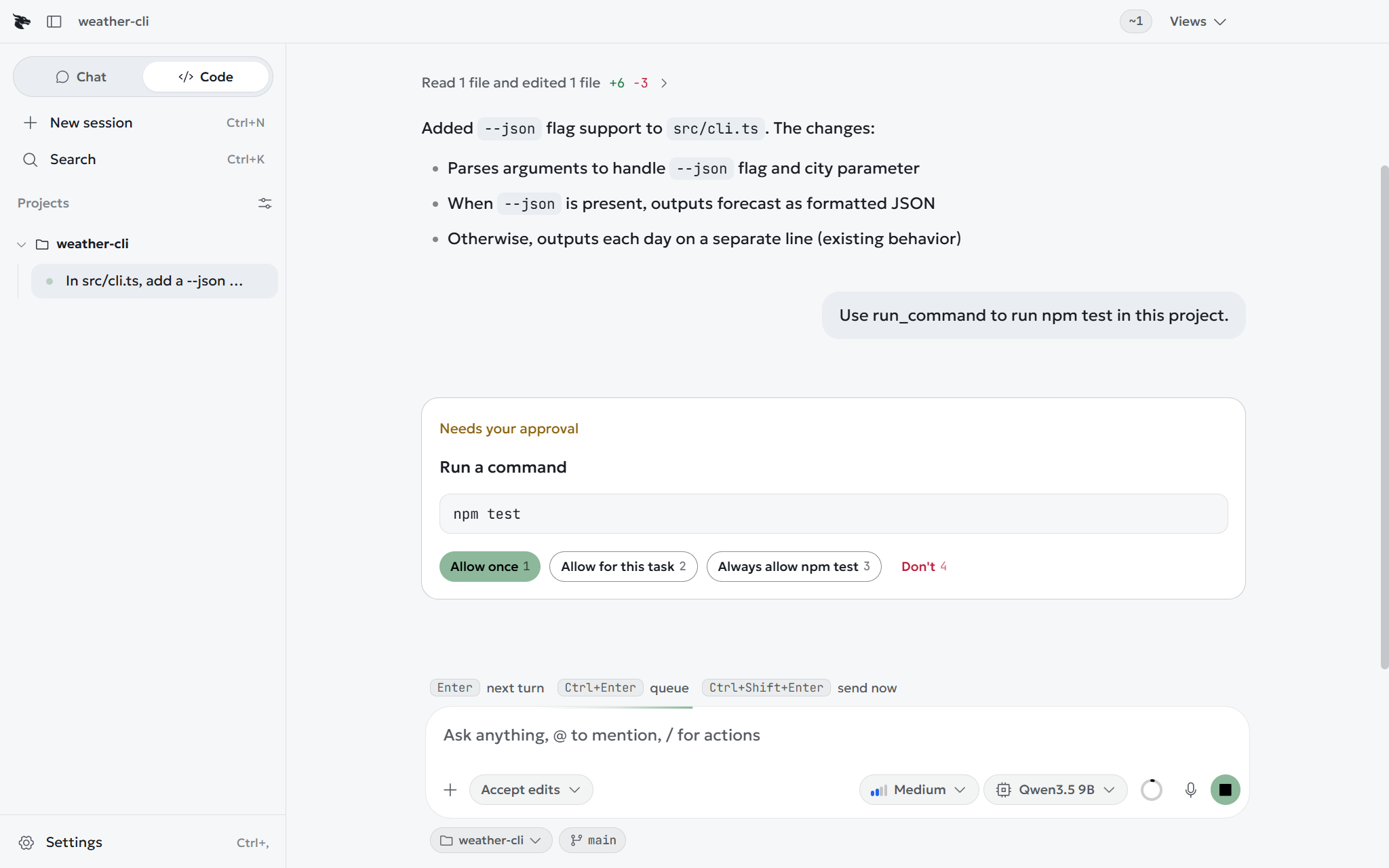
The card#
| Button | Covers |
|---|---|
| Allow once | This call. The next one asks again. |
| Allow for this task | This kind of call for the rest of the reply. |
| Always allow here | Remembered for this project. |
| Don't | Refused. The model carries on without it. |
Settings → Code → Projects lists everything you have allowed, each with Remove.